Flight training and flight school software

Training, scheduling and maintenance in one place.

VX Flight keeps your syllabus, schedule, aircraft records, logbooks and student billing in one web app, whether you teach on your own or run a school with a fleet.

Runs in the browser on desktop, iPad and phone.

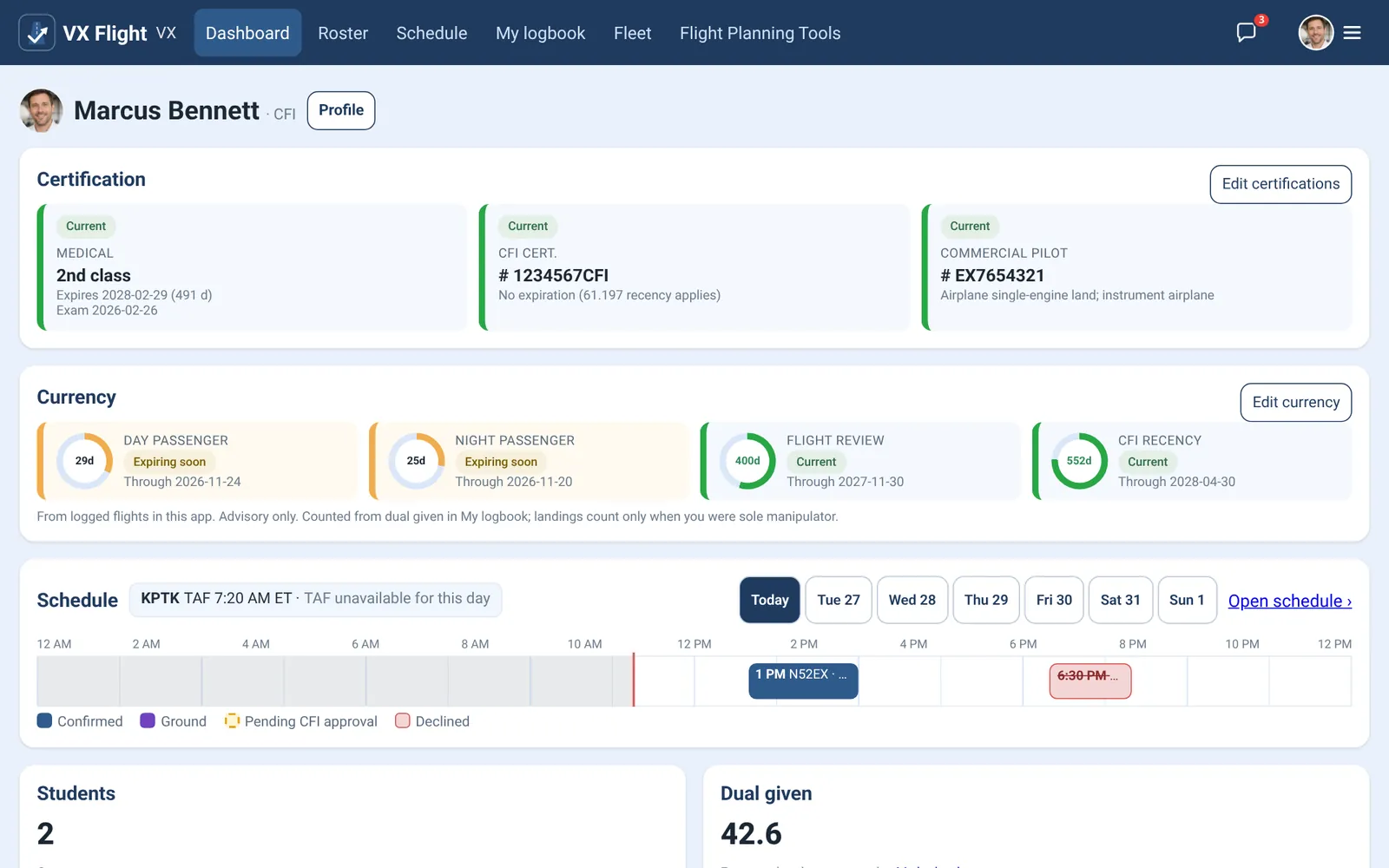
VX Flight instructor dashboard showing certificates, currency status, today's schedule and dual time given
Instructor dashboard. All screenshots show sample data.

One account for everyone at your operation, each with their own view

  • Flight instructors
  • Students
  • Renter pilots
  • Mechanics
  • Admins
Features

Everything a training operation tracks

Built around the way instructors, students and mechanics already work, with the regulations behind each record in mind.

Training and syllabus

Training records that follow the syllabus

Every student's flight and ground progress lives on one page, so you always know what comes next and what still needs a signature.

  • Built-in Private Pilot airplane flight syllabus and a 14-module ground school, mapped to the requirements in 14 CFR 61.87, 61.93, 61.103 and 61.109.
  • Grade and sign each flight lesson. When you sign, the next lesson is ready to schedule.
  • Ground lessons open in order. Students mark their self-study done, and your sign-off is what counts toward prerequisites.
  • Endorsements drafted from AC 61-65 templates, signed only by the authorized instructor.
  • Progress toward 61.109 minimums, visible to both instructor and student.
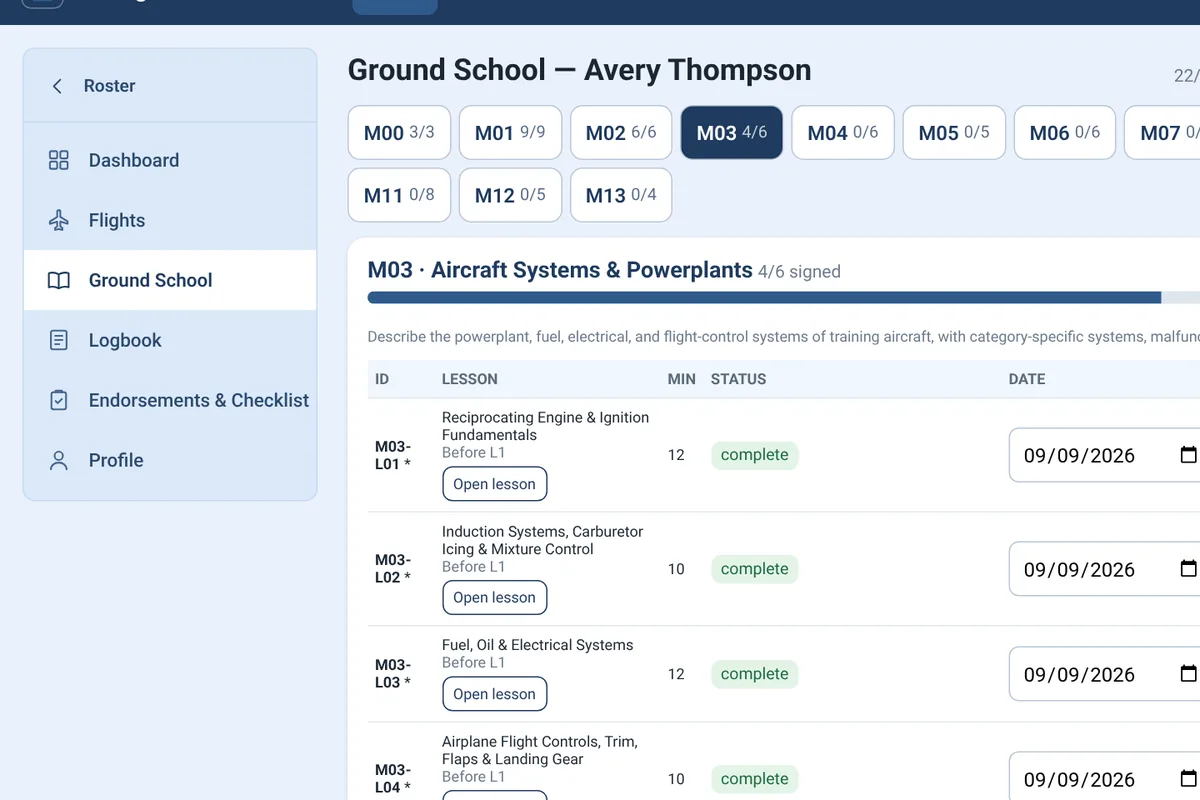
Ground school page for a student showing modules, lesson status, self-study marks and instructor sign-off
Scheduling

A schedule that knows your aircraft and your instructors

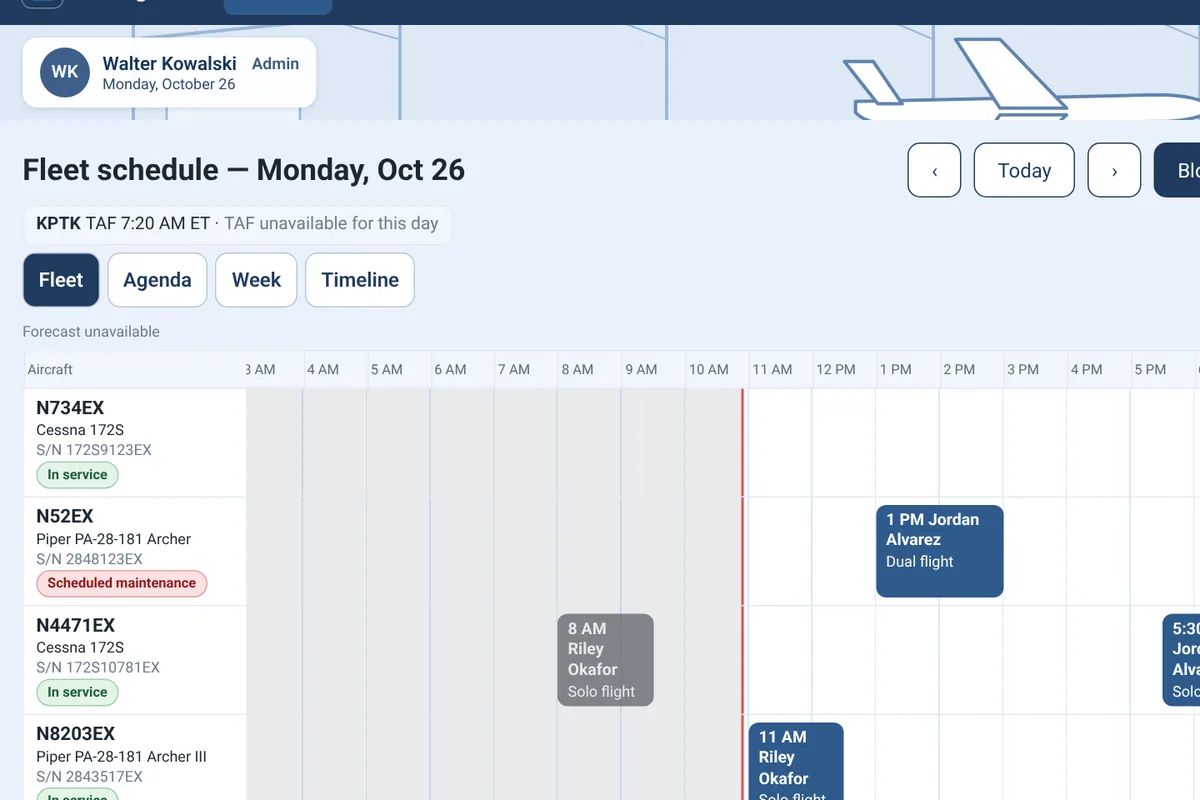
Book flights, ground sessions and maintenance from a week view, an instructor agenda, or a fleet timeline by day or week.

  • Student requests go to their instructor for approval. Instructors book their own students directly.
  • Only aircraft that are in service can be booked, and maintenance blocks take an aircraft off the schedule.
  • The day's TAF is shown alongside the schedule.
  • Flags bookings that would put an instructor over 8 hours of flight training in 24 hours, per 61.195(a).
  • Drag and drop with a mouse, pen or touch, including on iPad.
Fleet schedule timeline with one lane per aircraft, flights, and maintenance blocks
View from a high-wing aircraft over green fields

Built for the people who fly. And the people who keep them flying.

Aircraft and maintenance

Maintenance tracking built for the people who sign the logbooks

A dedicated maintenance portal gives mechanics a task board and full aircraft records, while pilots and instructors see what affects the schedule.

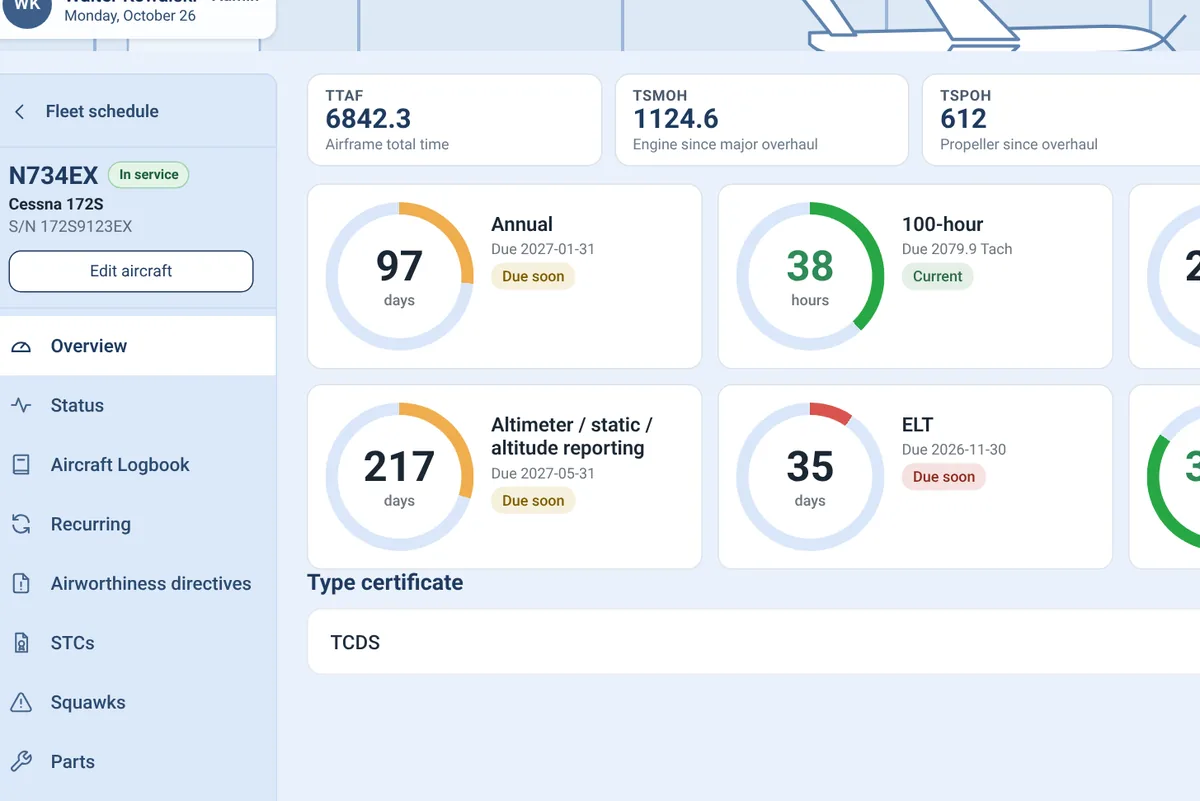
  • Due tracking for the annual, 100-hour, transponder, altimeter and static, ELT and ELT battery, by calendar or tach time.
  • Anyone can report a squawk. Mechanics work it as a discrepancy, with tasks, subtasks and statuses like waiting on parts or needs IA sign-off.
  • Airframe, engine and propeller logbooks with 43.9 and 43.11 entries, printable entry slips with your logo, paper record import and STCs.
  • Suggested airworthiness directives from FAA data for your mechanic to review, plus type certificate data sheet lookup.
  • Parts room inventory that can be allocated to aircraft and tasks.

VX Flight calculates due dates and warnings. Airworthiness decisions and sign-offs stay with your mechanics.

Aircraft overview with total times and gauges for annual, 100-hour, transponder, altimeter, ELT and ELT battery due dates
Logbooks and records

Logbooks and currency without entering anything twice

Records are created once, as the training happens, and flow to every place that needs them.

  • Student logbooks with the 61.51(b) fields. Signed entries carry the instructor's certificate number and expiration, and corrections are added as amendments.
  • The instructor's dual given is built from student records automatically.
  • Medical, passenger currency, flight review and instructor recency at a glance, with color-coded status as dates approach.
  • Renter pilots keep their own logbook and currency.
  • Printable logbook pages and CSV export.
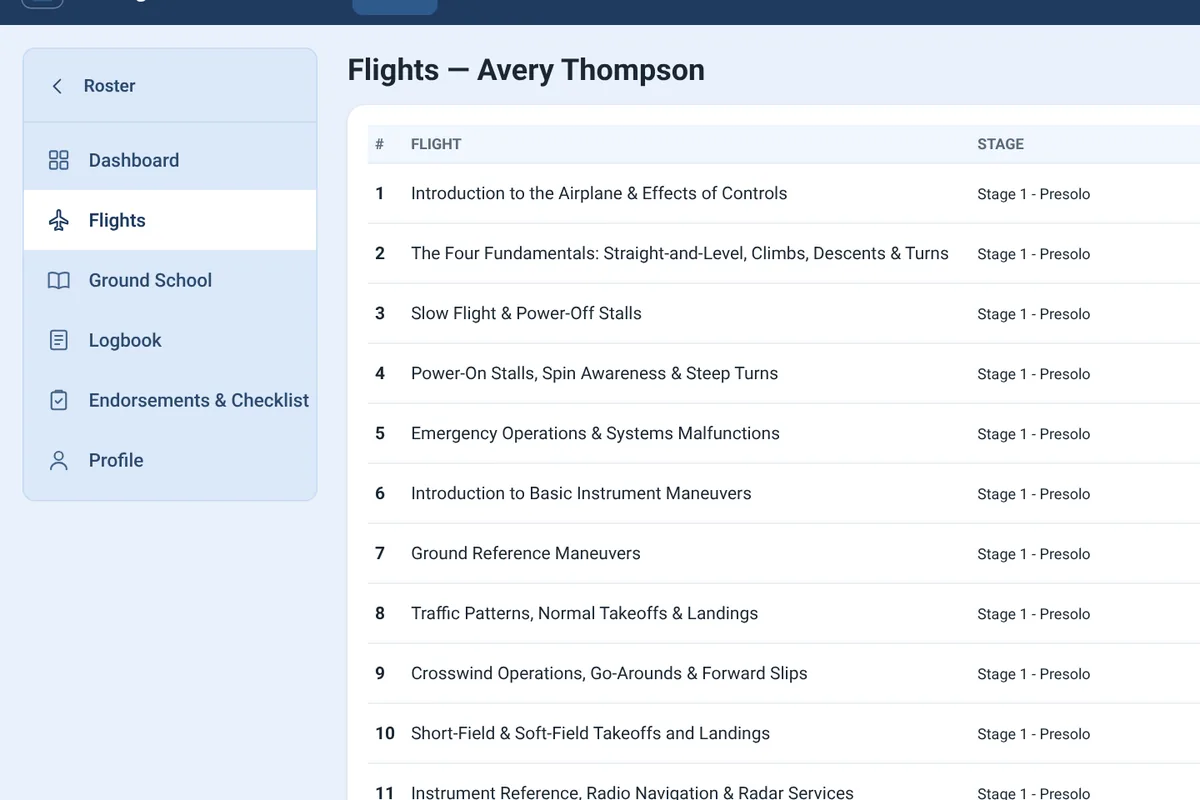
Flight lesson list for a student with stage, planned and logged hours, and status for each lesson
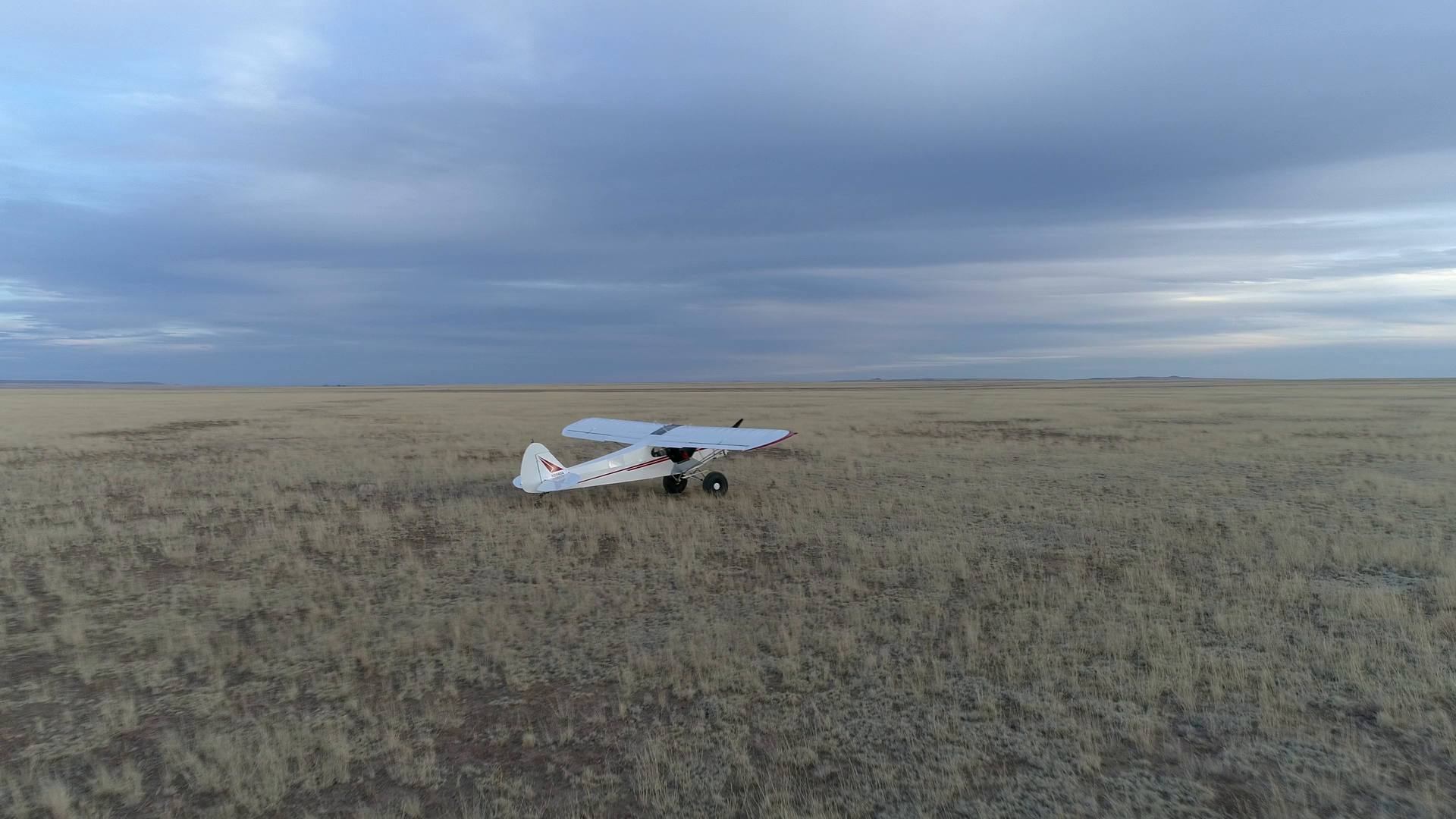
A white and red taildragger parked on desert flats below a mesa

Every record in one place, from the first lesson to the next annual.

Admin and organization

Your organization, set up your way

Admin tools for the people, permissions and settings behind the operation.

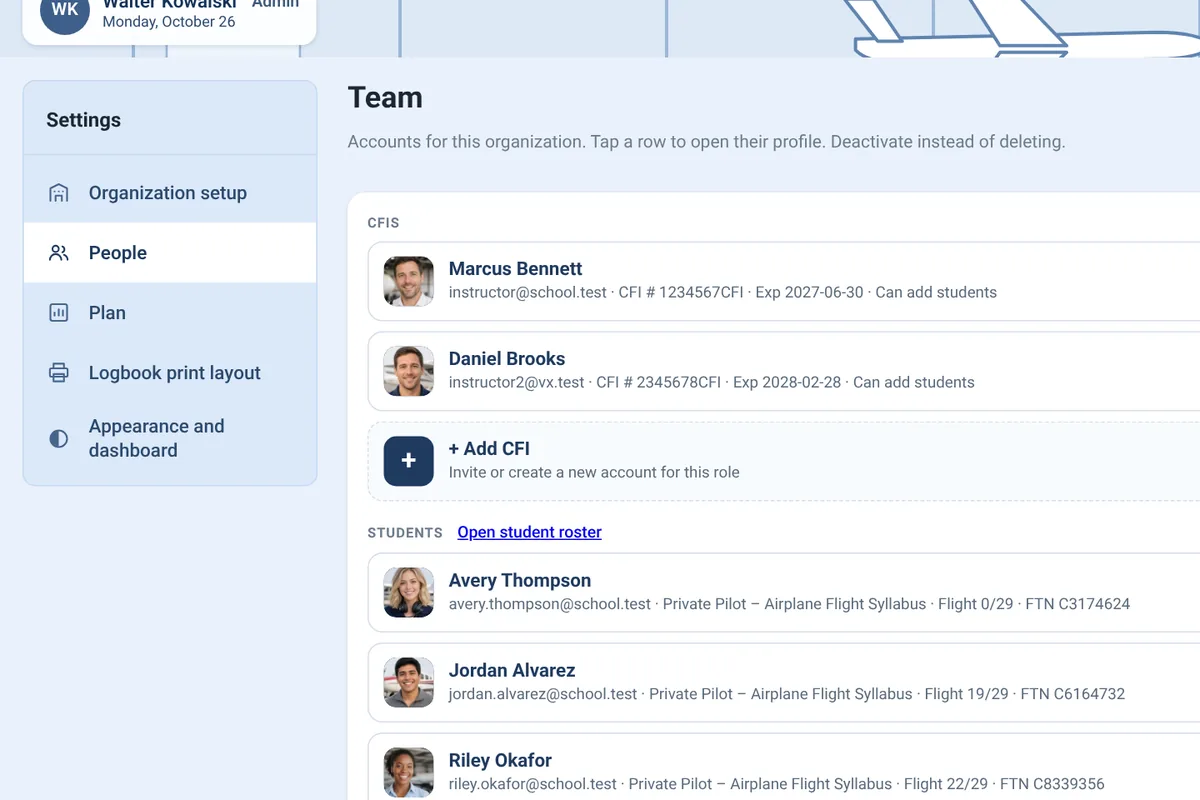
  • Roles for admins, instructors, mechanics, students and pilots, with options like which instructors can add students and who leads maintenance.
  • Your organization's name, logo and color across the app.
  • Pinned documents for procedures and checklists.
  • Duty log for instructors and pilots, with the limits for Part 61, 91 or 135 operations.
  • Team chat, with an assistant that can suggest bookings. Nothing is booked until a person confirms it.
Organization settings with the team list of instructors, students and mechanics
Student billing

Student billing built into the admin tools

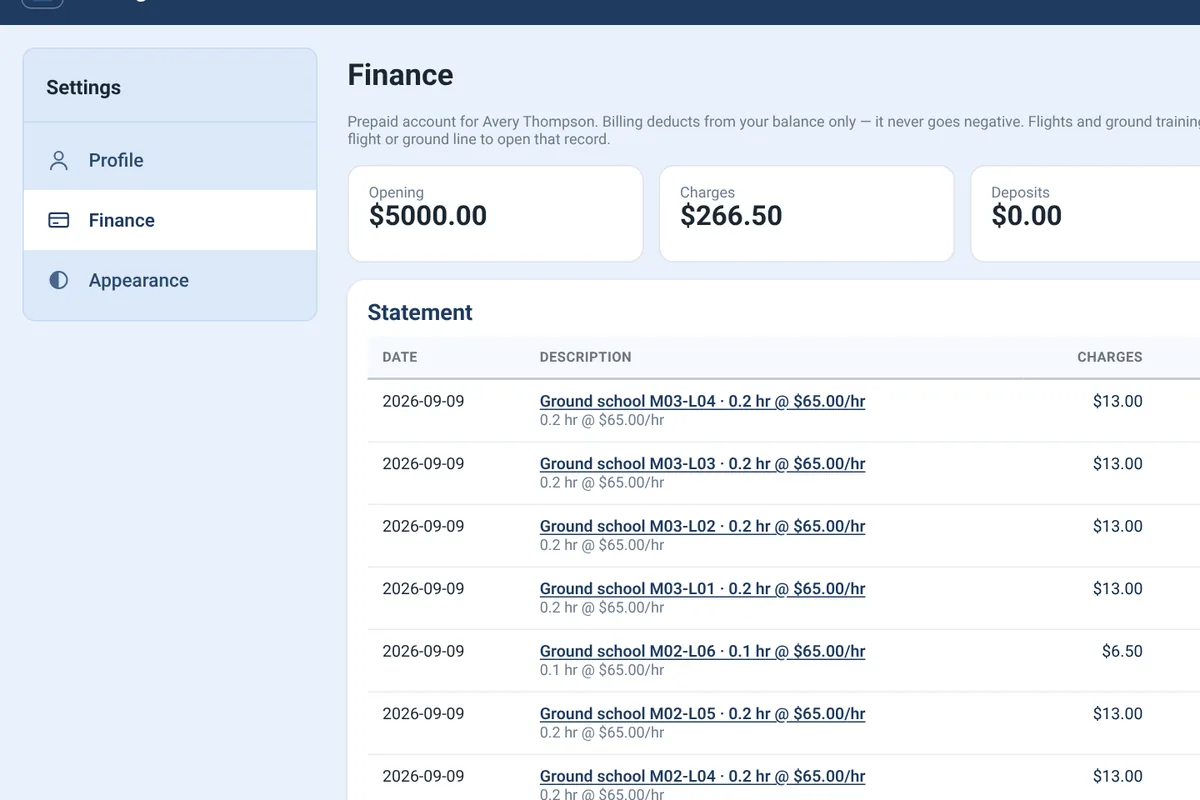
Every plan includes student billing. You decide what to charge your students, and charges post from the training records you already keep.

  • Set an hourly rate for each aircraft and a ground rate for each instructor.
  • Flight charges post from Hobbs or tach time when a lesson is completed, and ground charges post when ground school is signed off.
  • Students work from a prepaid balance and can see their statement at any time.
  • Booking pauses automatically when a student's balance runs low.
Student finance page with prepaid balance, deposits, charges and a running statement
In the air and on the ground

Built for the people who fly

Instructors, students, renter pilots and mechanics, all working from the same records.

Pilots wearing headsets in a light aircraft cockpit
In the cockpit
A pilot seated in a helicopter cockpit
Before the flight
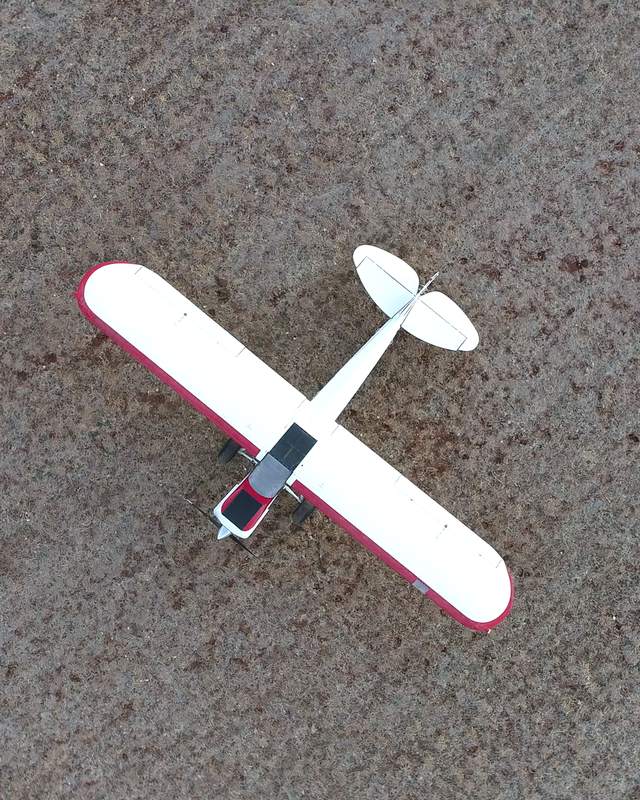
Overhead view of a white and red taildragger on open ground
On the ramp
Helicopter tail rotor over a city seen from the air
Overhead
How it works

From sign-up to first flight

Four steps from choosing a plan to your first scheduled flight.

  1. Choose a plan

    Pick the plan that fits how many instructors, aircraft and mechanics you have.

  2. Set up your organization

    Add your aircraft, rates, logo and colors, and choose who can do what.

  3. Invite your people

    Instructors, students, pilots and mechanics each sign in to their own view.

  4. Train and fly

    Schedule, sign, log and bill as you go. Records stay in one place.

Pricing

Simple monthly plans

Every plan includes training records, scheduling, logbooks and student billing. Choose based on the size of your operation.

Independent Instructor

For a CFI teaching on their own.

—

  • 1 CFI with all applicable admin controls
  • Students, syllabus and lesson tracking
  • Scheduling, logbooks and currency
  • Student billing in the admin tools
  • Add aircraft to record times and view aircraft details
  • No maintenance portal
Choose plan

Unlimited

For larger schools and flight departments.

—

  • Unlimited CFIs and aircraft
  • Unlimited pilots and mechanics
  • Full admin controls, including student billing
  • Full maintenance portal
Choose plan

The per-student fee is charged once, when a student signs up, and goes to VX Flight. What you charge your own students is entirely up to you.

Compare plans

Features and limits included in each VX Flight plan
PlanIndependent InstructorSmall Flight SchoolUnlimited
Pricing
Monthly price———
One-time fee per student, at sign-up———
People and aircraft
CFIs1Up to 3Unlimited
AircraftTimes and details onlyUp to 3Unlimited
MechanicsUp to 2Unlimited
Features
Syllabus, lesson and ground school tracking
Scheduling
Logbooks and currency
Student billing
Aircraft times and details
Maintenance portalInspections, squawks, aircraft logbooks, ADs, parts
Admin controlsAll that apply to a solo CFIFullFull
Choose planChoose planChoose plan
FAQ

Frequently asked questions

Plans, fees, and how VX Flight handles signatures and records.

Who is VX Flight for?

Independent flight instructors, small flight schools, and larger schools or flight departments. Instructors, students, renter pilots, mechanics and admins each get a view built for what they do.

How does the per-student fee work?

When a student signs up under your account, VX Flight charges a one-time fee for that student: — on Independent Instructor, — on Small Flight School and — on Unlimited. It is charged once, not monthly. What you charge your students is your decision; the per-student fee to VX Flight stays the same.

Can I bill my students through VX Flight?

Yes. Student billing is built into the admin tools on every plan. You set aircraft and instructor rates, charges post from completed lessons and signed ground school, and students see their prepaid balance and statement.

Can an independent instructor track maintenance?

On the Independent Instructor plan you can add aircraft to record times and view aircraft details. The maintenance portal, with inspections, squawks, aircraft logbooks and parts, is included in Small Flight School and Unlimited.

What happens if we outgrow our plan, or move to a smaller one?

You can change plans from your settings. If you move to a plan with lower limits, nothing is deleted: anything over the new limit becomes read-only or paused, and adding more is blocked until you change plans again.

Which syllabus does VX Flight use?

VX Flight includes a Private Pilot airplane (single-engine land) flight syllabus and a private pilot ground school, both tied to the Part 61 requirements they cover.

Does VX Flight sign anything or make airworthiness calls?

No. VX Flight drafts endorsements, calculates due dates and shows warnings, but lessons and endorsements are signed by instructors, and maintenance entries and airworthiness decisions belong to your mechanics.

Does it work on an iPad or phone?

Yes. VX Flight runs in the browser, with layouts designed for desktop, tablet and phone, including touch drag and drop on the schedule.

I already have an account. Where do I log in?

Customer log in is coming soon. Once the app opens, you'll sign in to your organization from the Log in button at the top of any page.

Ready to bring it all together?

Pick a plan and set up your organization.

Get started Log in · Coming soon